Go Program Way2Go Card
- 3.5
- Rating
- 1.00M
- Installs
- Free
- Price

 Analysis by App-foxy
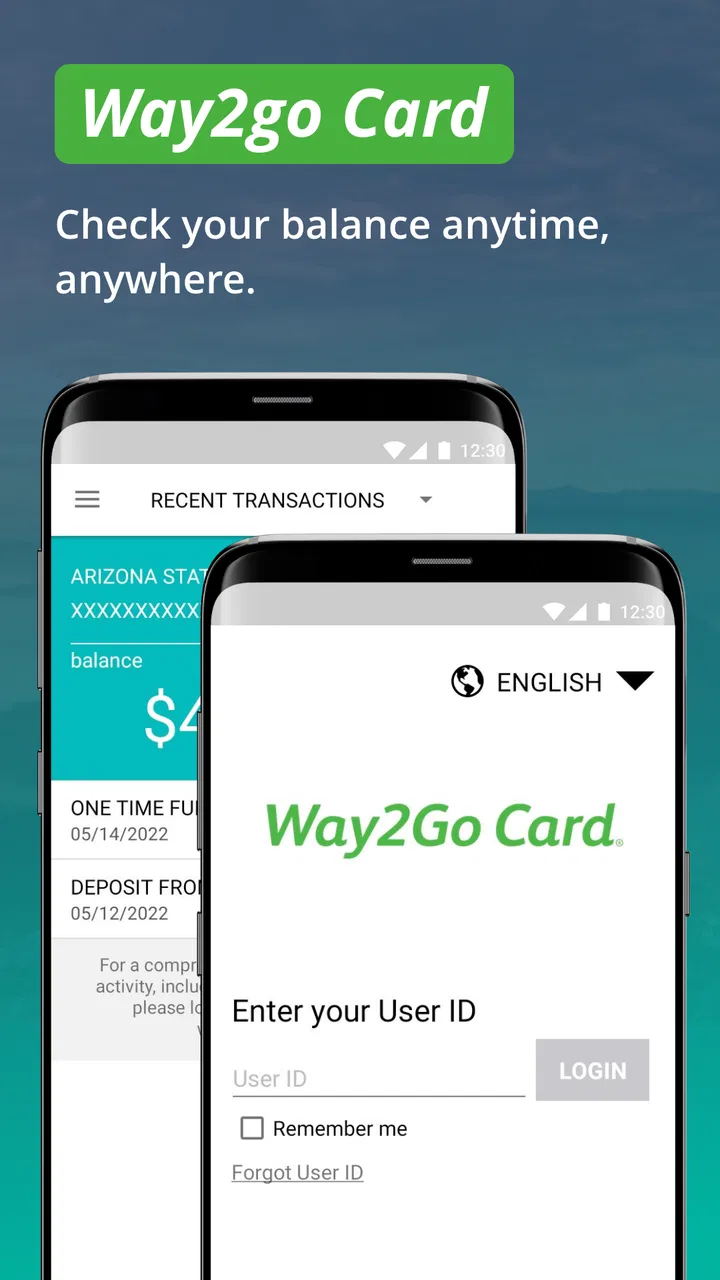
I approached Go Program Way2Go Card as a practical money-management tool rather than a full banking replacement. Its job is focused: help cardholders keep an eye on available funds and transaction activity from a phone. That narrow purpose is important when judging whether it deserves a place on your device, because the app is most useful when you already use a Way2Go Card and want a quicker way to check its status.
The app comes from Conduent Incorporated and sits in the finance category. It is free to use, has an Everyone age rating, and has been available since August 14, 2015. The current release is 3.3.5, with an operating-system requirement of version 10 or later. Those details make it fairly approachable for people using a supported Android or iOS device, although compatibility is still something I would check before relying on it for an urgent balance check.
What I found when using it for everyday card checks
The first thing I noticed is that Way2Go Card is built around quick decisions. I would open it before making a purchase, look at the available balance, and then review recent activity if a transaction did not look familiar. That is a more useful routine than treating the app like a general-purpose budgeting platform. It gives the cardholder a direct view of the card account instead of asking them to estimate spending from memory.
You May Also Like

 Blood Strike: 2.5 Anniversary
Blood Strike’s Loadouts Turn Every Drop Into a Tactical Gamble
A close look at Blood Strike’s custom loadouts: how fast access to signature weapons reshapes its battle royale rhythm, rewards preparation, and narrows the gap between fights.

 Pandora - Music & Podcasts
Pandora’s Music Is Easy to Start, but Harder to Recover
Pandora’s strength is its low-effort path from a seed to a station. Its weak spot is how much confidence it asks you to place in connection, setup, and quiet recovery.

 8 Ball Pool
 Is Built on Rivalries, Rematches, and Routine
A close look at the rivalries, rematches, shared routines, and unanswered safety questions that turn a quick pool match into a persistent mobile community.

 Samsung Music
’s Quiet Strength Is Playing What You Already Own
Its reach comes less from spectacle than from dependable access to a personal library. That simplicity is both the app’s strongest retention engine and its ceiling.

 AccuWeather: Weather Radar
AccuWeather Review: A Quick, Clear Forecast for Everyday Decisions
For everyday plans, the best forecast is the one you can understand quickly. AccuWeather makes rain timing, radar, and local conditions easy to act on, with a few trade-offs.

 Hill Climb Racing
Why Hill Climb Racing Still Turns Crashes Into One More Run
A tiny car, a bumpy hill and one more upgrade: Hill Climb Racing keeps resurfacing because its simple chaos makes every near-miss feel personal.
More From Our News Desk



A realistic example is a grocery trip after receiving a payment on the card. Rather than relying on an old notification or guessing how much remains, I would check the balance immediately before paying. If the amount appeared lower than expected, the transaction activity would be the next place to look. This two-step habit—balance first, activity second—helps separate a genuine missing payment from a purchase that has already reduced the available amount.
I also found the focused design easier to understand than many broader finance apps. A budgeting service may combine bank accounts, credit cards, spending categories, charts, and savings targets. That can be useful, but it also creates extra screens between me and the one detail I need. Way2Go Card is better suited to the person who wants a direct card check without building a complete financial dashboard.
That simplicity comes with a clear boundary. I would not choose it as my main tool for planning monthly expenses, comparing several accounts, tracking cash spending, or creating long-term savings goals. Its value depends on the Way2Go Card relationship. If you do not use that card, the app has little reason to remain installed.
Trust starts with a limited and understandable purpose
For a finance app, I prefer a narrow purpose when I am deciding whether to trust it. The stated role here is easy to understand: monitor the available balance, follow transaction activity, and check related card information. I am not being asked to treat it as a universal financial command center. That makes the app easier to evaluate because I can judge it against a small set of tasks.
The public response is mixed but substantial. The app has a 3.5 average from around 58 thousand ratings, alongside roughly 24 thousand written reviews. It has also passed the million-install mark. I do not treat popularity as proof that every user experience is smooth, but it does show that this is an established tool rather than an obscure utility I would install casually without checking its identity.
The developer name matters here too. Conduent Incorporated is presented as the developer, so I would verify that name carefully when installing. Finance apps deserve more attention at the download stage than games or simple calculators. I would avoid installing an imitation with a similar title, especially if the developer identity does not match or the app appears to request an unrelated action.
My trust judgment is therefore practical rather than absolute. I am comfortable with the app when I use it for the card-monitoring tasks it presents, but I would still keep normal account-security habits: use a private device, avoid entering credentials on a shared phone, and review what appears on screen before confirming anything. Trust is supported by clear purpose and visible choices; it is not a substitute for careful behavior.
Controls that matter when money is involved
The most important control is the ability to inspect the available balance before spending. That sounds basic, but it changes how I use a prepaid or benefit-linked card. Instead of discovering a problem at checkout, I can check beforehand and decide whether to use another payment method. This is especially helpful when a payment has recently arrived or when several small purchases may have accumulated.
Transaction activity provides a second layer of control. I would use it not only after seeing an unexpected balance, but also as a regular review habit. A short check after shopping can confirm that the amount and merchant activity look familiar. If something seems wrong, noticing it early is more useful than waiting until the end of the month and trying to reconstruct every purchase.
One practical tip is to separate “available now” from “expected later” in your own notes. The app can help me see the current card position, but I should not mentally combine that number with money I expect to receive or with a purchase that has not yet appeared. Keeping those ideas separate prevents a common mistake: spending based on an assumption rather than the balance currently shown.
Another useful workflow is to check the app at three specific moments: before a larger purchase, after a payment or deposit that should affect the card, and whenever a transaction notification or receipt does not match my memory. This is more efficient than repeatedly opening the app without a reason. It also makes the activity history easier to interpret because I know what event prompted the check.
The app’s controls are most valuable when I use them as verification tools. They do not replace reading receipts, keeping track of recurring obligations, or contacting the relevant card support channel when a transaction needs investigation. I see the app as the place where I notice a discrepancy, not necessarily the complete process for resolving every dispute.
Where financial data needs extra care
Balance and transaction information are sensitive even when the app does not try to do anything beyond displaying them. I would avoid checking the account on an unsecured public network when possible, and I would be cautious about leaving the app open where another person can see the screen. A visible balance can reveal more than many people expect about someone’s financial situation.
I would also treat screenshots and screen recordings carefully. They can be convenient for documenting an issue, but they may expose transaction details or account information that should not be shared casually. If I needed to send evidence to support, I would first check whether unnecessary personal details could be hidden without making the evidence useless.
Shared devices create another sensitive moment. If a family tablet or borrowed phone is involved, I would not assume that closing the app is enough. I would make sure the session is no longer accessible before handing the device back. I would also avoid saving credentials in a browser or password manager that other people can open, unless the device has separate protected profiles and I understand exactly how they work.
These are not criticisms unique to Way2Go Card; they are sensible precautions for any service that displays money information. Still, they matter more here because the app’s central purpose is to put account activity on a personal screen. The convenience is real, but convenience increases the number of times I may look at sensitive information away from home.
I would be equally careful with permissions and privacy choices presented during installation or use. I only want to grant access that is clearly connected to the task I am trying to complete. If a prompt is confusing, I would pause rather than accept automatically. A finance app should be approached with deliberate choices, particularly when a permission could expose device information or personal activity beyond what I expect.
How much control the user really has
User agency, in my experience, comes from being able to decide when to check information and how to act on it. Way2Go Card supports that kind of agency by making the balance and transaction history available for personal review. I can choose to verify a purchase before relying on the card, rather than waiting for a declined payment or an unexpected problem.
The strongest habit is to use the app as a checkpoint, not as an automatic decision-maker. Before paying, I decide whether the available amount is enough. After paying, I decide whether the activity looks correct. If it does not, I record what I noticed and use the appropriate support route. The app gives me information; I remain responsible for interpreting it.
This distinction is important because a displayed balance can be misunderstood. Available funds are not the same thing as a personal budget. If I have an upcoming bill, a pending purchase, or a separate cash obligation, I need to account for those independently. The app can tell me what is available on the card, but it cannot replace my wider financial judgment.
I also appreciate that a focused card app can reduce unnecessary exposure to other financial accounts. A general finance aggregator may be convenient for someone who wants everything in one place, but linking multiple accounts creates a broader picture of personal finances inside one service. For a Way2Go Card user who only needs card monitoring, staying with a dedicated tool may feel more controlled and easier to understand.
On the other hand, someone who wants extensive customization may feel limited. If your preferred workflow depends on detailed categories, custom reports, account aggregation, or a large set of budgeting controls, this app is unlikely to satisfy that need. I would choose a broader financial tool for those tasks and keep Way2Go Card for direct card verification, rather than forcing one app to do both jobs.
Who should use it, and who should skip it
I would recommend it to an existing Way2Go Card holder who regularly needs a fast balance check. It is particularly suitable for someone who wants to confirm available funds before shopping, inspect recent transactions after using the card, or keep closer watch on activity without maintaining a manual ledger.
It can also help a person who is prone to losing track of small purchases. Opening the activity view after several errands creates a simple review routine. The benefit is not sophisticated analysis; it is reducing uncertainty while the purchases are still fresh in memory.
I would be more cautious about recommending it to someone who needs a complete household budget. That person may be better served by a budgeting app or spreadsheet that combines income, bills, savings, cash, and several payment accounts. Way2Go Card can contribute one piece of that picture, but it should not be mistaken for the whole picture.
I would also skip it if I did not have a Way2Go Card, if my device does not meet the minimum operating-system requirement, or if I am looking for investment tools, credit monitoring, bill negotiation, or detailed financial planning. Installing it for those purposes would create disappointment because its usefulness is tied to card access and card activity.
My cautious verdict after weighing convenience and control
My overall view is favorable, with a clear qualification: this is a focused companion for Way2Go Card users, not a universal finance app. I like the direct path from opening the app to checking the balance or reviewing transactions. That focus makes it practical in everyday situations where a quick answer matters more than charts and financial overviews.
The free price removes one common barrier, and the Everyone rating makes it broadly approachable from an age-classification perspective. The established release history and large user base add context, while the middling average rating reminds me not to promise a flawless experience. I would install it because the core use case is useful, but I would still judge the actual experience on my device and keep a backup way to manage urgent card questions.
My best advice is to build a small, repeatable routine around it: check before a purchase that would strain the balance, review activity after an unusual transaction, and keep sensitive screens private. Those steps extract more value than simply installing the app and opening it only when something goes wrong.
For the right cardholder, the app earns its place by making financial awareness quick and concrete. For everyone else, a broader budgeting tool—or no additional finance app at all—may be the better choice. I would use Way2Go Card as a controlled window into my card activity, while keeping the final decisions, records, and security precautions firmly in my own hands.
FAQs for Go Program Way2Go Card
01What is the Go Program Way2Go Card app used for?
The Go Program Way2Go Card app is designed to help eligible cardholders manage government-issued benefit payments, such as unemployment or other prepaid benefits. After signing in, users can typically review their available balance, check recent transactions, locate surcharge-free ATMs, and manage certain card settings. The exact services available may depend on the program and state that issued your card.
02How do I register or sign in to the Go Program Way2Go Card app?
To use the app, you generally need an active Way2Go Card and the personal information requested during registration, which may include your card details, identification information, or a username and password. Follow the on-screen enrollment instructions carefully and use the official cardholder information provided with your card. If registration fails, contact Way2Go Card customer service rather than repeatedly entering incorrect details.
03Can I check my balance and transaction history in the app?
Yes, one of the app’s main purposes is to give cardholders convenient access to account information. Once signed in, you can usually view your current available balance and review recent deposits, purchases, withdrawals, fees, and other transactions. Keep in mind that balances may not update instantly after every transaction, so the cardholder agreement and official account records should be used when exact timing is important.
04Can the Go Program Way2Go Card app help me find an ATM or avoid fees?
The app commonly includes tools for locating ATMs that accept the Way2Go Card, which can be useful when you need cash while traveling or are unfamiliar with the area. However, ATM availability, surcharge-free networks, withdrawal limits, and possible fees can vary by issuing program and location. Check the fee schedule connected to your card before making a withdrawal, especially at out-of-network ATMs.
05What should I do if my card is lost, stolen, blocked, or used without permission?
If your Way2Go Card is lost, stolen, damaged, or shows an unauthorized transaction, report the problem immediately through the app if that option is available or by calling the official customer service number printed on the card. You may be able to lock the card, request a replacement, or dispute a transaction. Do not share your password, PIN, verification codes, or full card information with anyone contacting you unexpectedly.
Pros
- Quickly check your Way2Go Card balance and recent transactions.
- View available funds without calling customer service.
- Useful for tracking benefit deposits and card activity on the go.
- Secure login helps protect access to your prepaid card details.
- Official app provides direct access to card management tools.
Cons
- Some features may vary depending on your card program or state.
- Login or verification issues can make access frustrating.
- Transaction updates may not appear immediately after card activity.
- Requires an internet connection for most account functions.
- The interface may feel basic compared with modern banking apps.

Go Program Way2Go Card
Gallery